
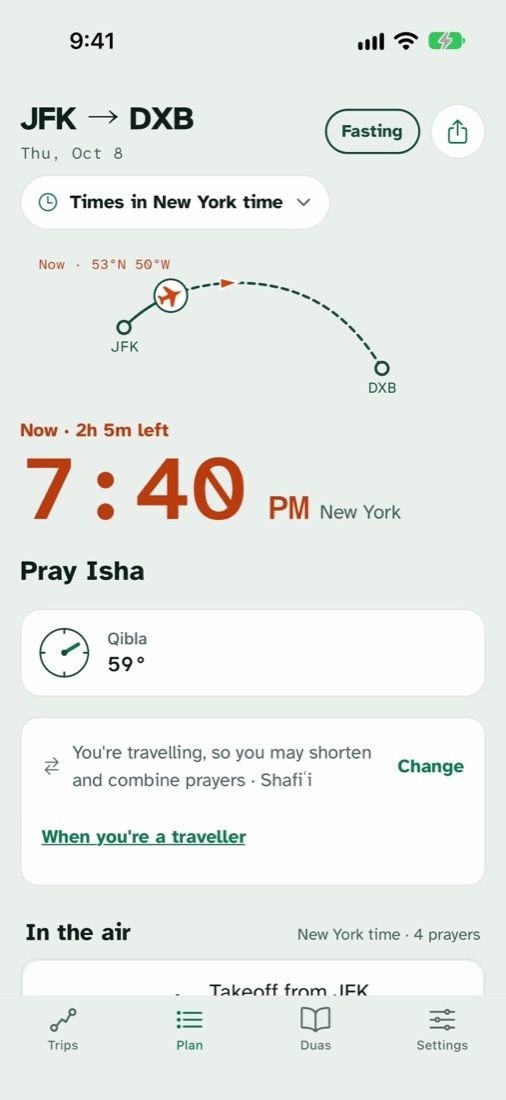
Scan your boarding pass. See every prayer on the way.
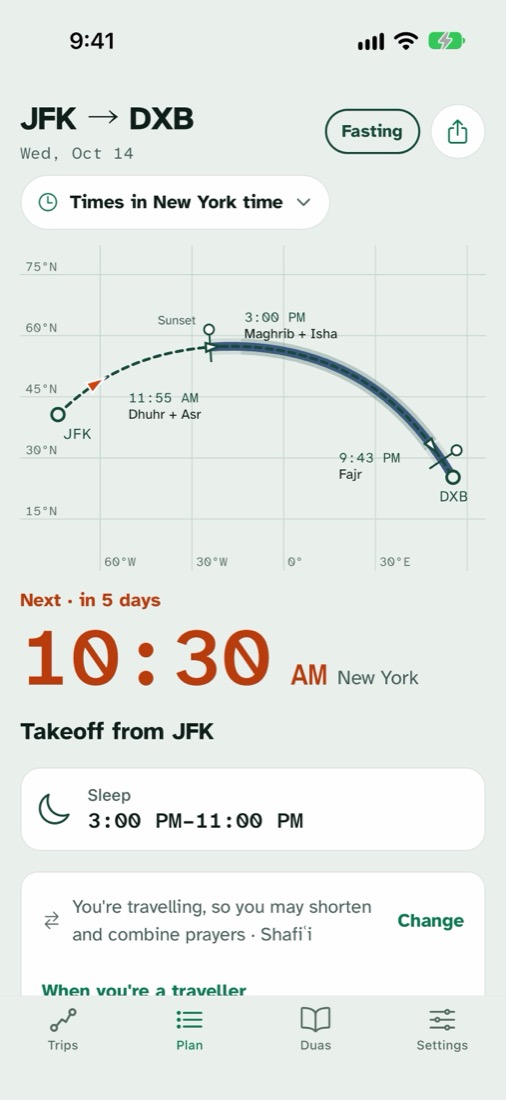
At 900 km/h you outrun the sun. A prayer time that was right at the gate can be wrong at cruising height, so FlySalah works it out for where the plane will be.
- Scan your boarding passPoint the camera at the barcode and FlySalah reads the route and date straight off it, connections included. The barcode is read on your phone and never leaves it.
- Or type the flight numberEnter the flight number and date and FlySalah looks up the route and times. Only those two things are sent.
- See every prayer on the routeEvery prayer time, worked out along the great-circle path, with the Qibla from your seat.
- Pray on timeA reminder arrives just before each prayer and tells you where you are, like "Dhuhr in 2 minutes, over Baghdad".
From 38,000 feet, the sun sets later.
At cruising height the horizon sits lower, so the sun is still up from your window after it has set for the ground below. Many scholars hold that a passenger prays Maghrib, and breaks the fast, when the sun has set from where they are. You can switch this off in Settings and use the ground below instead.
- Cruising height
- 11 km
- Horizon lower by
- ≈3°
- Maghrib later by
- 15–20 min
Pray as a traveller, the way your madhab teaches.
When you're travelling you may shorten some prayers and, in most madhabs, combine them. FlySalah shows which prayers, and when, along your actual journey, following the madhab you choose: Hanafi, Shafiʿi, Maliki, Hanbali, or Ibn Taymiyyah's view that combining is tied to need, not to travel itself.
Guidance, not a fatwa. If in doubt, ask a scholar you trust.
Know when you cross the mīqāt.
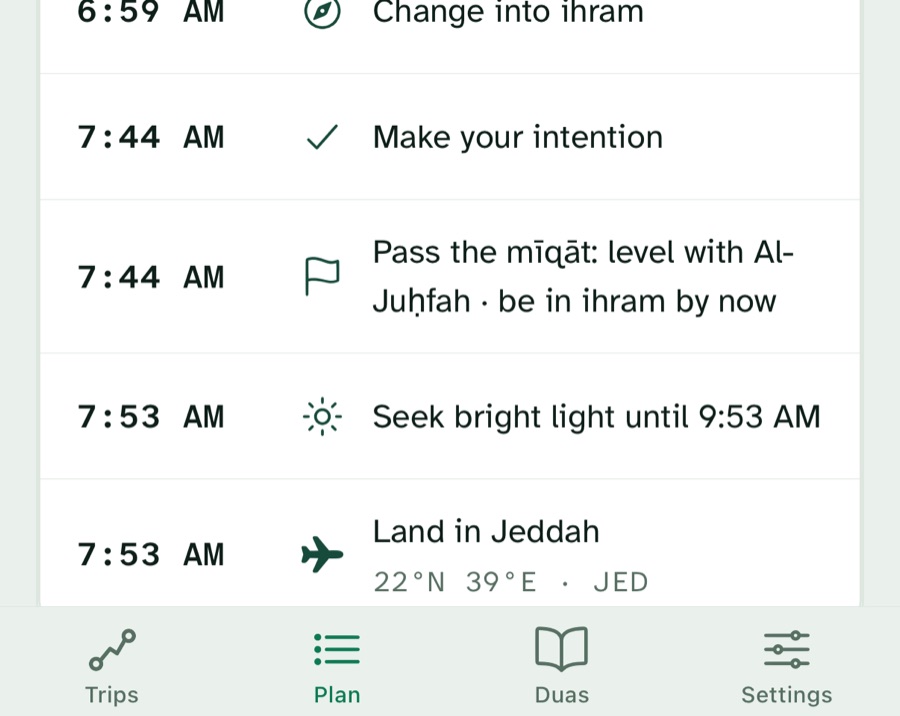
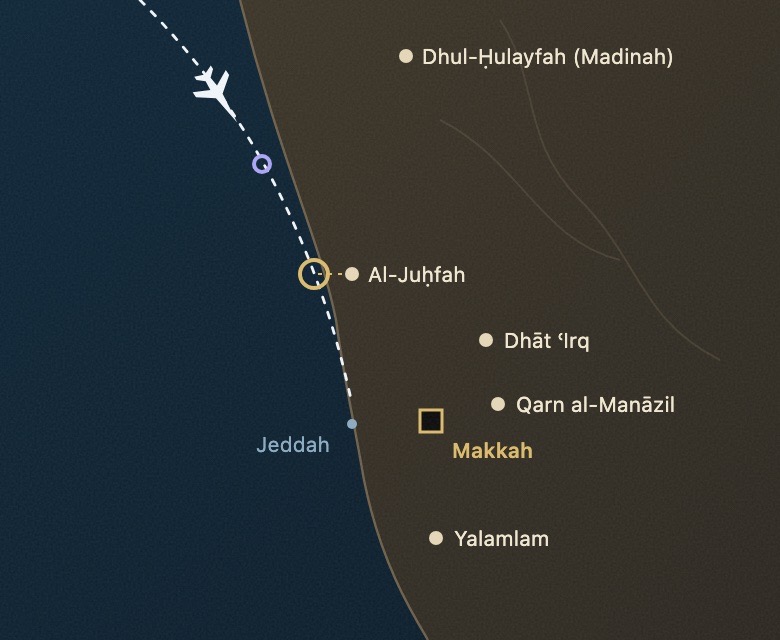
On trips that reach a mīqāt, FlySalah asks "Going for Umrah or Hajj?". Say yes and it works out when your path crosses it, then reminds you to change into ihram and make your intention. Flying into Madinah, it reminds you to enter ihram at Dhul-Ḥulayfah when you leave for Makkah.
Travel together
Share a trip with your group by link or QR code. Each person's sleep plan stays their own.
Calculated your way
12 calculation methods, Standard or Hanafi Asr, Qiyam, a high-latitude rule, and five travel duas with their sources.
"Why this time?"
Tap any prayer to see the sun, the rule for your method and madhab, and how far the flight moved it.
Works in airplane mode
Prayer times, the Qibla, reminders and widgets need no connection.
Calendar export
Put every prayer of the trip in your calendar, so you get alerts even with notifications off.
Private by design
Prayer times are calculated on your phone and your journeys never leave it. No account, no ads, and it all works offline.
If in doubt about a ruling, ask a scholar you trust.
Break your fast when the sun sets from your seat.
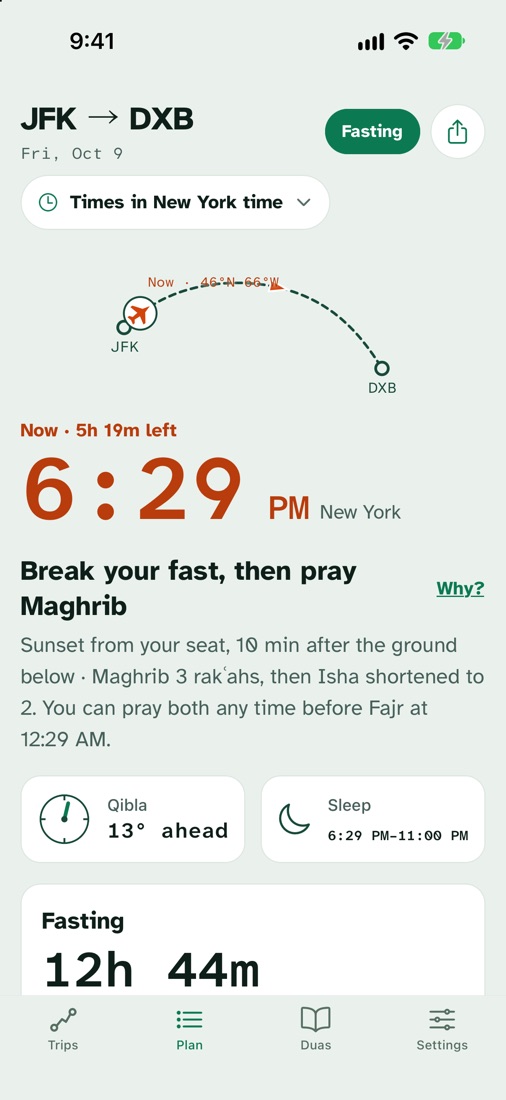
Turn on Fasting for a trip and FlySalah shows iftar at sunset where the plane is, how long your fast will be, and when suhoor ends. A traveller may choose not to fast and make up the days later; the app shows both, and if in doubt, ask a scholar you trust.
Land ready for the day.
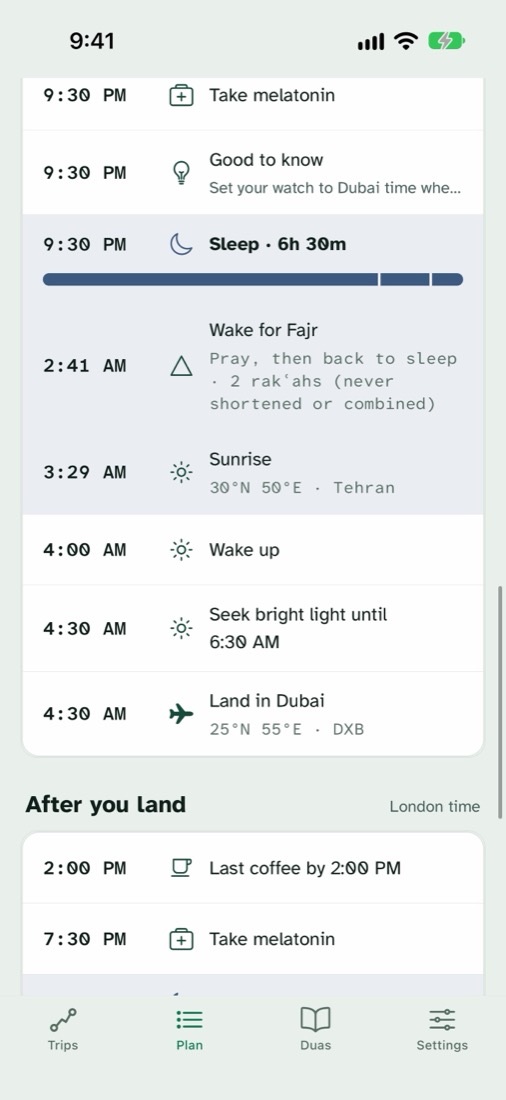
Enter your usual bedtime and wake time. FlySalah plans when to sleep, when to seek or avoid light, and when to take melatonin and stop caffeine, before you leave, in the air and after you land. A prayer that falls in your sleep shows as "Wake for Fajr".
Melatonin and caffeine advice is general guidance, not medical advice. Talk to your doctor if you have a sleep disorder, are pregnant, or take medication.
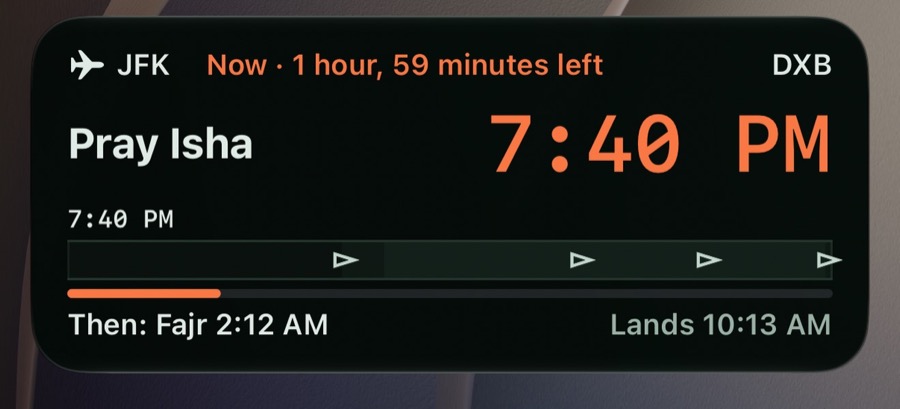
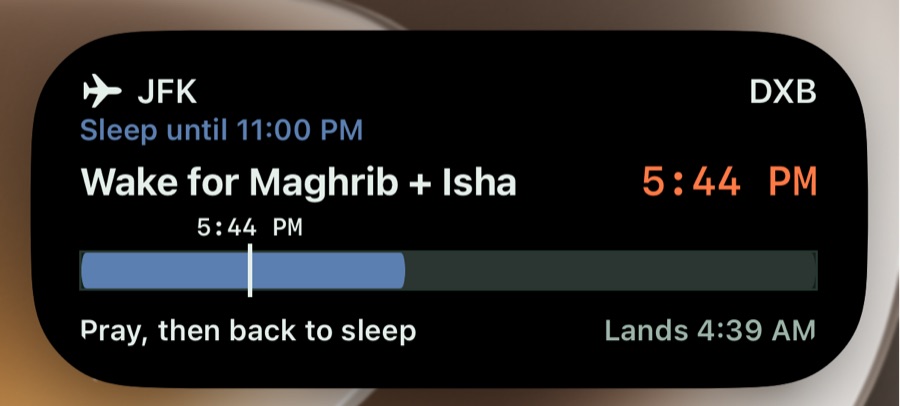
What's next, without opening the app.
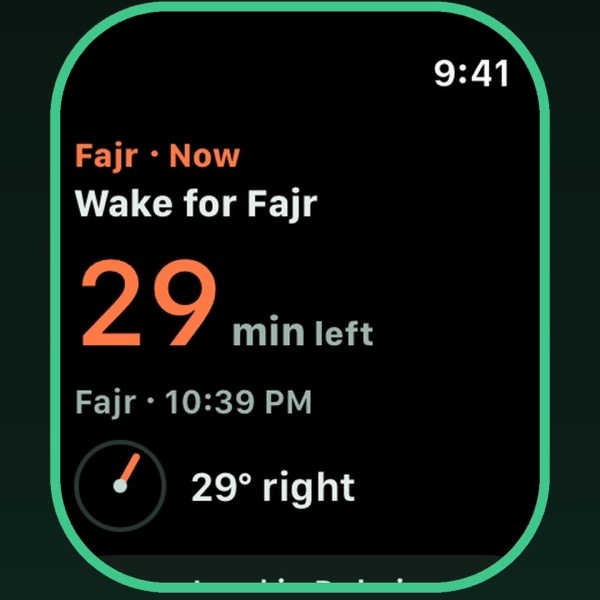
iPhone, iPad and Apple Watch
- Widgets on the home and lock screen
- A Live Activity in the Dynamic Island, starting 2 hours before takeoff
- An Apple Watch app and complications that count down to the next step
- FlySalah Pro can be shared with Family Sharing
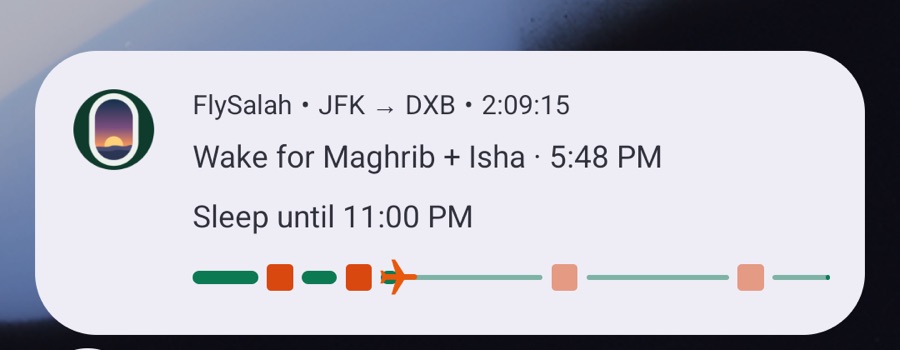
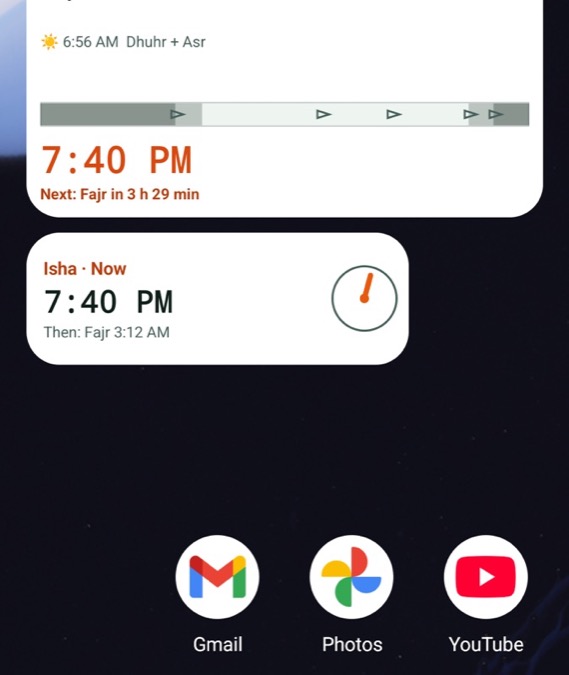
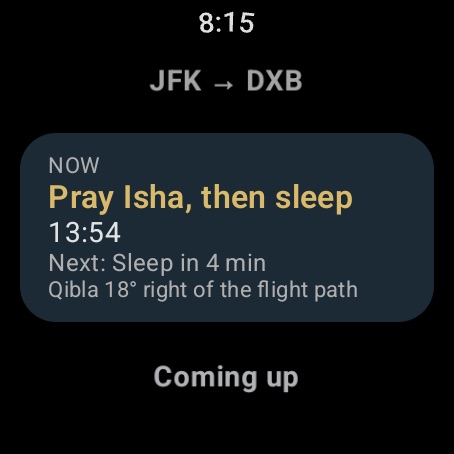
Android and Wear OS
- Home-screen widgets for the next prayer and the Qibla
- A countdown to the next prayer on the lock screen while your trip is under way
- A Wear OS tile and complications
Made for bigger screens too
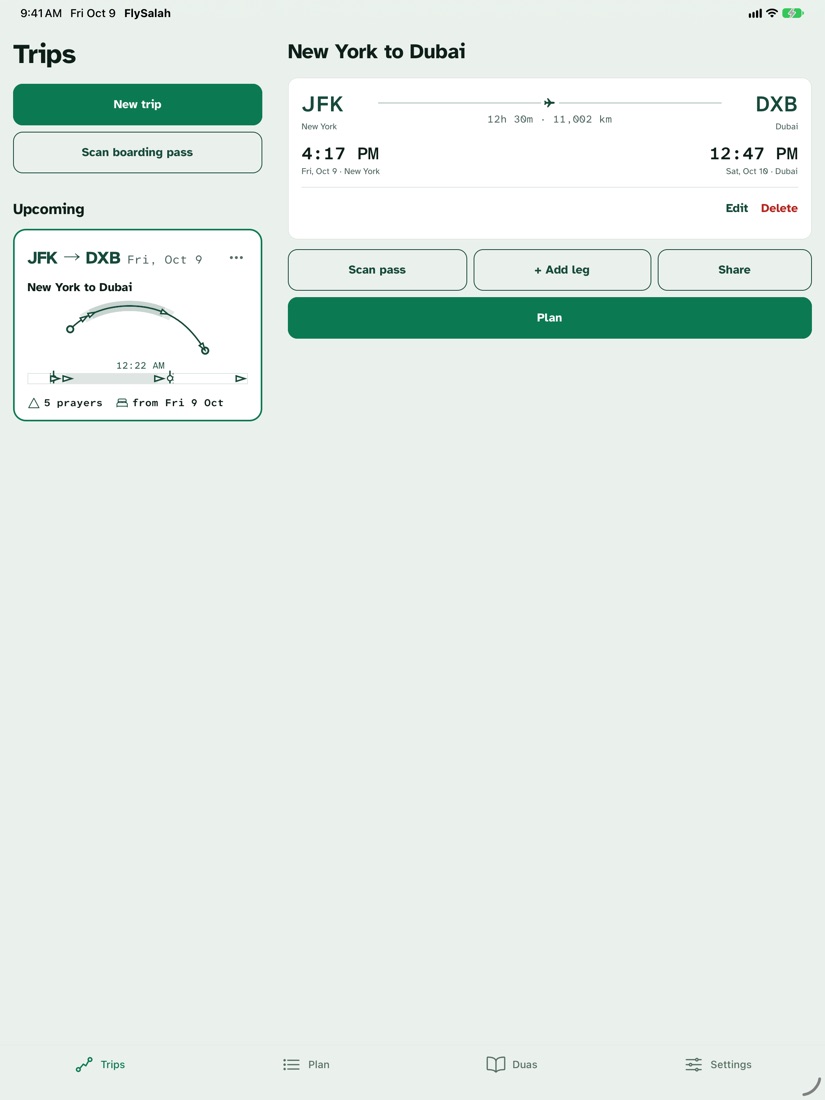
- iPad. Turn it sideways and your trips sit beside your plan, two columns at once. It works in Split View and Slide Over.
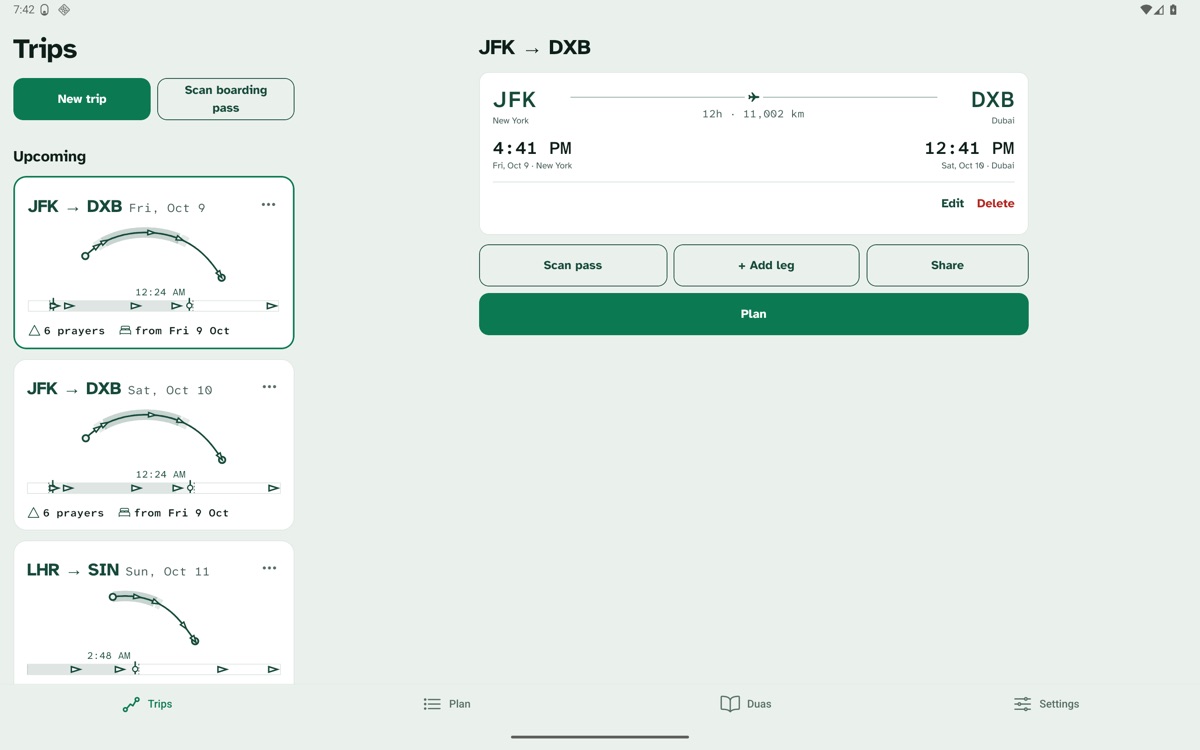
- Android tablets and foldables. The same side-by-side layout on wide screens, and the app turns with your device.
Everything keeps counting with the app closed and the phone in airplane mode.
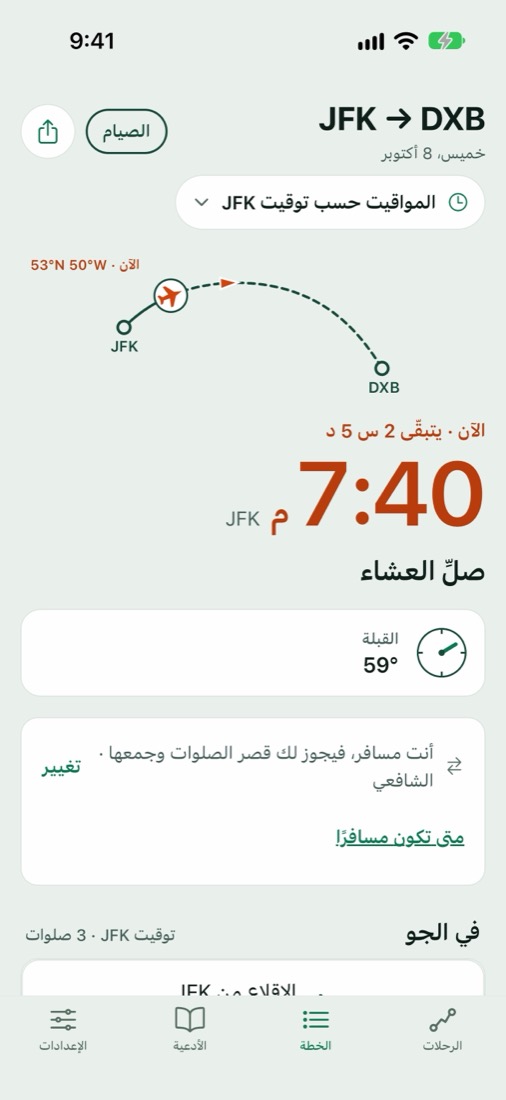
In your language, the right way round.
Every screen, reminder and guide is translated, and Arabic and Urdu are laid out right to left, not just translated. The travel duas are in Arabic with transliteration and meaning.
- English
- العربية
- اردو
- हिन्दी
- বাংলা
- Bahasa Indonesia
- Bahasa Melayu
- Türkçe
- Français
Before you fly
Does it work without wifi?
Yes. Prayer times, the Qibla, reminders, widgets and the duas all work in airplane mode. The only things that need a connection are looking up a flight by number and checking for app updates.
How does it know where the plane is?
From your flight plan: the airports and times. FlySalah follows the great-circle path between them. If you turn on "Use GPS in flight" in Settings, it can also use your phone's location to sharpen the Qibla. That's off by default and never leaves your phone.
Which calculation methods does it support?
12 methods, including Muslim World League, Umm al-Qura, ISNA, Egyptian and Karachi, with Standard or Hanafi Asr and a high-latitude rule.
How is the Qibla worked out on a moving plane?
FlySalah works out the direction of the Kaaba from the plane's position and shows it relative to the aircraft's heading, so you can turn in your seat.
What does it cost?
All prayer features are free. The jet-lag sleep plan is free for your first trip; after that it's FlySalah Pro, a one-time purchase. There are no subscriptions and no ads.
Is my data shared?
Your journeys never leave your phone. The app sends anonymous counts of which features are used, and you can switch that off in Settings. Read the privacy policy for exactly what is sent.
Is this the app that used to be called SkySalah?
Yes. Same app, same trips, same purchase, new name.
Pray on time, wherever the flight takes you.
Free on iPhone. Android and Wear OS are in beta: email hello@flysalah.com with the Google account you use on Google Play and we'll add you.